
Artificial intelligence has crossed a threshold. It’s no longer a productivity add-on — it’s the infrastructure that modern work runs on. Here’s everything you need to know.
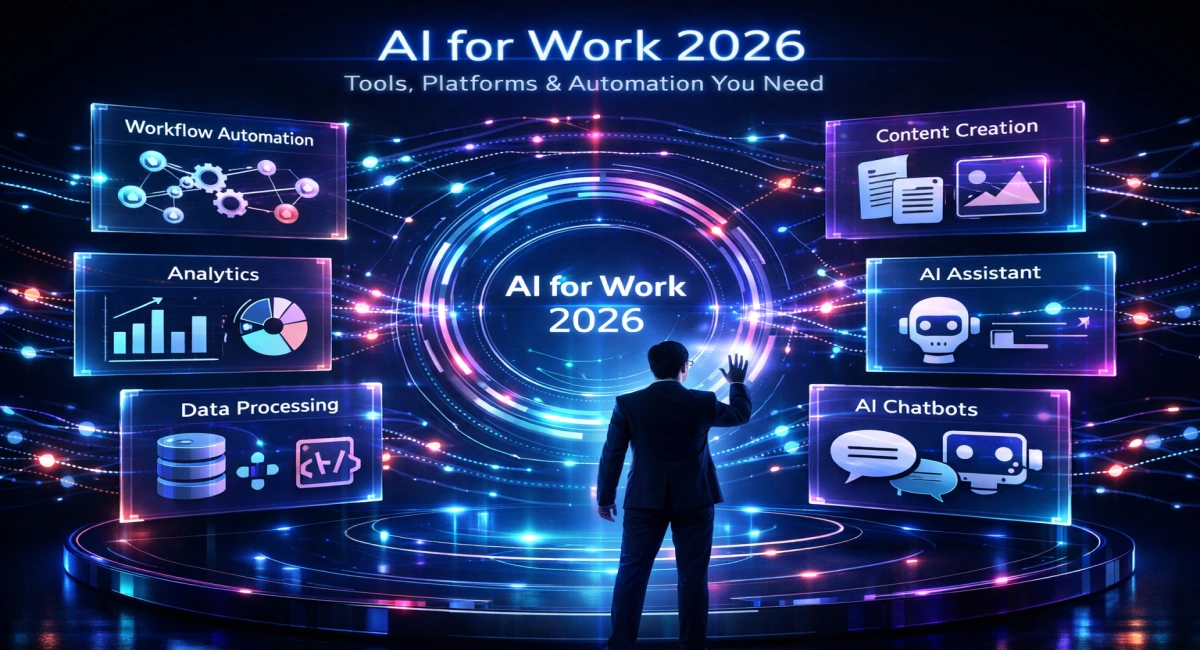
Cast your mind back just three years. AI at work meant autocomplete in your email client and the occasional chatbot on a support page. Fast-forward to 2026: AI agents are scheduling your meetings, writing your code, analyzing your financials, and managing your customer pipeline — often without a single prompt from you.
The shift isn’t subtle. It’s architectural. We’ve moved from AI as a clever assistant to AI as a core layer of how organisations operate. Whether you’re a solopreneur, a startup founder, or an enterprise executive, the question is no longer “should I use AI?” — it’s “how deeply is AI embedded in my workflows?”
This guide covers the tools, platforms, and automation strategies that define work in 2026 — and how to position yourself to benefit from them.
What “AI for Work” Means in 2026
The vocabulary has changed. We no longer talk about AI “assistants.” The dominant paradigm in 2026 is agentic AI — systems that can plan, reason, use tools, and execute multi-step tasks with minimal human intervention.
“Automation is what AI does to repetitive tasks. Augmentation is what AI does to human judgment. The best workflows in 2026 do both simultaneously.”
The distinction between automation and augmentation has never mattered more. Automation replaces human labour on predictable, rule-based tasks. Augmentation amplifies human capability on complex, judgment-heavy work. The most powerful AI deployments in 2026 do both at once — automating the research while augmenting the decision.
The other defining feature of this era is multi-agent workflows. Rather than a single AI model handling a task end-to-end, teams of specialised agents collaborate: one agent researches, another drafts, a third reviews, and a fourth publishes — all coordinated by an orchestration layer that routes tasks, manages context, and handles exceptions.
78%
of knowledge workers use
AI tools daily in 2026
4.3×
productivity multiplier
reported by high-AI adoption teams
$4.4T
estimated annual value AI
adds to global economy
62%
of enterprises running
autonomous AI agents in production
Key Categories of AI Tools for Work
The AI tool landscape has matured into clear functional categories. Each has its leading platforms, its power users, and its sweet spots. Here’s a structured tour.
Writing & Content Creation
Content creation was the first domain AI cracked, and it remains the most saturated. In 2026, the winners are tools that go beyond generation — they understand brand voice, maintain consistency across long documents, and integrate with publishing pipelines.
ChatGPT / GPT-5
Create long-form content, generate ideas, adapt tone, and perform real-time research — all in one powerful AI assistant.
Jasper AI
Built for marketing teams with brand voice control, campaign workflows, and seamless collaboration tools.
Notion AI
Work smarter inside your workspace — summarize, rewrite, and generate content directly within your documents.
Coding & Development
AI has fundamentally changed who can build software. Senior developers use it to accelerate complex work; junior developers use it to bridge knowledge gaps; non-developers use it to build internal tools without writing a single line manually.
GitHub Copilot
The industry standard for in-editor AI assistance — autocomplete code, fix bugs, and understand legacy systems faster.
Cursor
An AI-native IDE that understands your entire codebase — edit, refactor, and debug using natural language.
Replit Ghostwriter
Perfect for beginners and rapid prototyping — describe ideas, generate code, and deploy projects collaboratively.
Design & Creative Work
Creatives haven’t been displaced — they’ve been accelerated. AI now handles the mechanical steps of production (resizing, masking, generating variations), freeing designers to focus on creative direction and strategy.
Adobe Firefly
Enterprise-grade generative design with commercially safe, licensed imagery — perfect for professional creative workflows.
Canva AI
Design made easy with AI — create presentations, social media content, and brand kits in just minutes.
Runway
Advanced AI video creation — generate, edit, and enhance videos with text-to-video, motion tools, and VFX.
Data Analysis & Decision-Making
Organisations that previously needed a data science team to answer complex questions can now query their data in plain English. This has democratised insight — and compressed the time from question to decision from weeks to minutes
Tableau + AI
Ask questions in plain language, generate dashboards automatically, and detect anomalies in your data instantly.
Microsoft Fabric
Unified data platform with built-in AI — connect warehouses, lakehouses, and BI tools in one seamless ecosystem.
Julius AI
Upload spreadsheets or CSVs, ask questions, and instantly generate charts — no SQL or coding required.
Automation & Workflow Tools
If writing and coding tools are the muscles of AI adoption, automation platforms are the nervous system. They connect everything — triggering actions, routing data, and orchestrating the handoffs between humans and AI systems.
Zapier
The gold standard for no-code automation — connect thousands of apps and build powerful AI-driven workflows with ease.
Make (Integromat)
Visual workflow builder for advanced automation — design complex logic, branching flows, and scalable processes.
n8n
Open-source automation platform with AI nodes — self-host your workflows and gain full control over data pipelines.
Benefits of Using AI for Work
The business case for AI adoption has never been clearer. Organisations that have moved beyond experimentation report compounding benefits across every dimension of performance.
Productivity gains
Knowledge workers complete tasks 2–5× faster. AI handles repetitive work, allowing more focus on deep thinking.
Cost reduction
Teams achieve more with fewer resources as AI replaces manual roles and reduces operational overhead.
Faster decisions
Real-time insights and predictive analytics reduce decision-making time from weeks to hours.
Scalability
Run large-scale operations with minimal teams. AI enables startups to scale like enterprises at lower cost.
How to Choose the Right AI Tools
The average knowledge worker is now confronted with hundreds of AI tools. The paradox of choice is real — but a clear framework makes the decision tractable. Ask four questions before adopting any tool:
Role fit: Does this tool address a genuine bottleneck in your specific workflow? A marketer’s needs (voice consistency, campaign volume) differ radically from a developer’s (code quality, debugging speed) or a founder’s (decision velocity, operations coverage). Start with your pain point, then find the tool — not the reverse.
Ease vs. power: Consumer-facing tools like Canva AI or ChatGPT offer immediate value with minimal setup. API-level tools and platforms like OpenAI’s Assistants API or Microsoft Copilot Studio offer vastly more power but require configuration. Match the sophistication of the tool to the sophistication of your team.
Integration depth: A brilliant AI tool in isolation is worth less than a mediocre one that connects to your existing stack. Prioritise tools that natively integrate with your CRM, project management system, communication platform, and data warehouse.
Total cost: Licensing fees are only part of the cost. Factor in setup time, training, maintenance, and the cost of switching later. Free tiers are useful for evaluation; real adoption requires real investment.
Future Trends to Watch
The current state of AI at work is not an endpoint — it’s an inflection point. Here are the trends that will define the next 18 to 36 months.
Fully autonomous agents
AI agents now manage entire workflows — from content to customer success — while humans focus on strategy and oversight.
AI teammates
Persistent AI assistants with memory and personality collaborate like real team members instead of simple tools.
Personalised workflows
AI adapts to your habits, communication style, and decision-making patterns — delivering tailored outputs automatically.
Industry-specific AI
Specialized AI models trained for domains like legal, healthcare, and finance outperform general-purpose systems.
AI is Essential, Not Optional
The organisations and individuals who thrive in the next decade will not be those with the most AI tools — they’ll be those who have developed the judgment to deploy them well. The technology is here. The platforms are mature. The case is made.
What separates leaders from laggards now is not access — it’s the will to learn, the courage to experiment, and the discipline to automate systematically rather than reactively.